Types of CNC Software to Consider for Your Project
If your business uses automated machine tools, you undoubtedly use some form of computer numerical control (CNC) software. This is the software that makes automation possible, providing the instructions your tools need to cut a finished product from various raw materials. Aside from speeding up production, CNC software also eliminates the need for manual programming, which takes a lot of time and is prone to error. This software works by generating G-code, a machine-readable language. There are four types of CNC software, covering design, manufacturing control and simulation, among other functions.
What is CNC Software?
CNC software is a program that controls Computer Numerical Control machines, such as routers, mills, lathes, and laser cutters. It converts digital designs into precise machine movements, allowing manufacturers to automate cutting, shaping, drilling, and other operations with high accuracy and efficiency. CNC software improves precision, reduces human error, and increases production efficiency, making it a key tool for industries like woodworking, stone fabrication, metalworking, and custom manufacturing.
How Does CNC Software Work?
CNC software converts digital designs into precise machine movements, automating cutting, drilling, and shaping processes. It works in three main steps: CAD software creates the design, CAM software generates toolpaths and G-code, and CNC control software executes the instructions on the machine. The CNC machine then follows these commands to produce accurate and repeatable parts. Sensors and feedback systems ensure precision, while simulation tools help prevent errors before production. This automation increases efficiency, reduces manual labor, and allows for complex designs with minimal waste. Industries like woodworking, stone fabrication, and metalworking rely on CNC software for improved accuracy and productivity. Manufacturers obtain high-quality results with less effort by integrating CAD, CAM, and control software.
Importance of CNC Software in Manufacturing
CNC software is essential in modern manufacturing, providing precision, efficiency, and automation in production processes. It allows manufacturers to design complex parts, convert them into machine instructions, and execute operations with minimal human intervention. By integrating CAD (design), CAM (toolpath generation), and CNC control software (machine execution), businesses can achieve consistent, high-quality results.
CNC software improves accuracy, reduces material waste, and increases production speed, making it a critical tool in industries like woodworking, stone fabrication, metalworking, and custom manufacturing. It also enhances flexibility, allowing manufacturers to adjust designs and optimize machining processes. Additionally, simulation features help prevent costly errors before production begins.
What is CAD and CAM Software?
CNC software works primarily by generating G-code toolpaths. Essentially, these are cutting patterns that tools follow automatically in the production process. There are two main types of CNC, one for design (CAD) and one for manufacturing (CAM).
- CAD (computer-aided design) software is used to create designs in 2D, 2.5D, and 3D.
- CAM (computer-aided manufacturing) prepares the actual toolpaths that will be used to program and guide machines.
In most cases, a CNC software package includes both CAD and CAM components. These variants are referred to as CAD/CAM packages. Instead of using separate packages for each function, you can use the same platform to generate a design and then set up your machines to cut your material according to that design.
The Role of CNC Simulation Software
Certain CNC packages are designed specifically to simulate toolpaths so that they can be refined and corrected. These programs read the G-code generated by CAD/CAM software and forecast possible errors, such as potential collisions. This enables users to test and optimize their designs and toolpaths. Operators can test and adjust their tools’ settings long before they start production. By the time materials are placed onto the machine for cutting, the design and program have been perfected, meaning that waste is minimized.
Overview of CNC Control Software
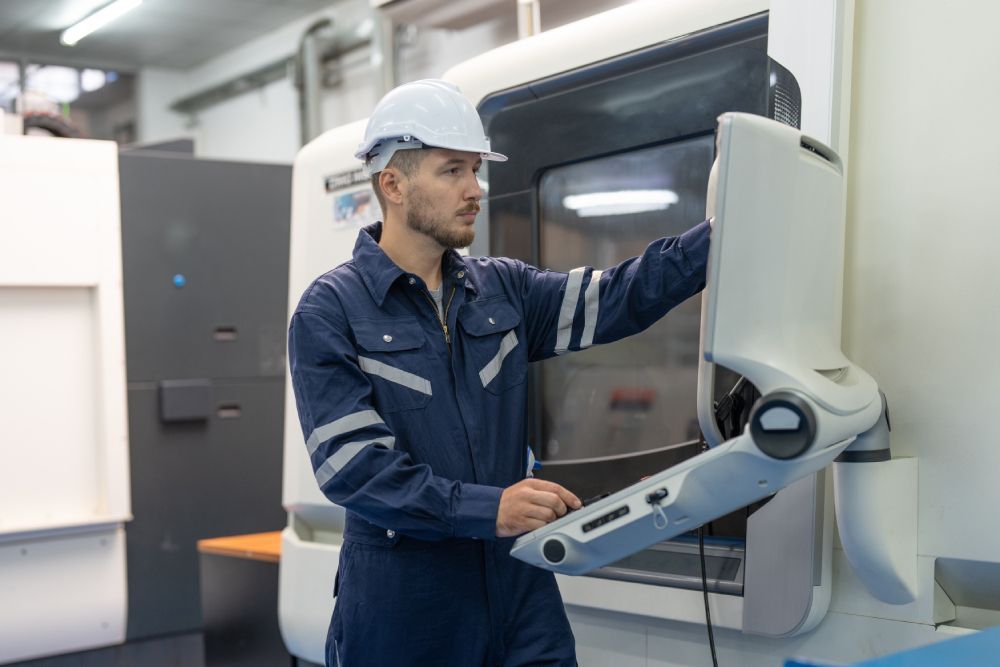
As the name implies, control software is used to run machines during production. CNC control software reads the G-code generated by the CAD/CAM package and then signals suitable instructions to the stepper motor drives. It is the mediator between the CAD/CAM package and the machine. It interprets the instructions generated by the CAD/CAM package and tells the machines what to do.
Most CNC packages incorporate CAD, CAM, control, and simulation functionality.
CNC Software for Beginners
For those who are not accustomed to using this software, here is a step-by-step guide to how CNC packages work:
Step 1: First, a model is created using CAD software, defining all the dimensions and other attributes of the workpiece.
Step 2: The CAM software then analyzes the model and generates the toolpaths the cutter will use to machine the part.
Step 3: The toolpaths are converted to G-code, which is then tested using simulation software. If necessary, the toolpaths are corrected to reduce machine time, ensure accuracy and avoid collisions.
Step 4: The completed G-code is then read and executed by the control software, driving the tool along the toolpaths and machining the material into the finished part.
Diversified Equipment and Supply is an experienced CNC machine distributor based in Mint Hill, North Carolina. We supply both new and used wood routers, stone machines, bridge saws, and other cutting machines. Contact us for more information about our machines and the different types of CNC software used to operate them.